


SnapTok - TT Video Downloader
4.5828.00 Reviews
App Specs
- Version
- 3.12.0
- Updated On
- License
- Free
- Downloads
- 10,000,000+
- Developer
- Video Downloader & Video Saver
- Categories
- Video Players & Editors
- Platform
- Android
Screenshots
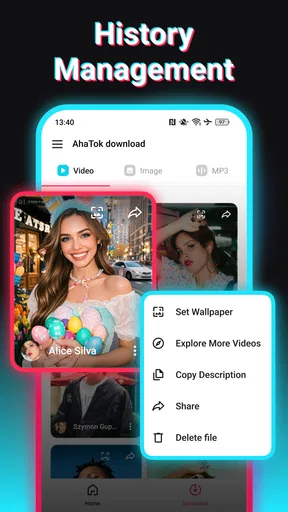

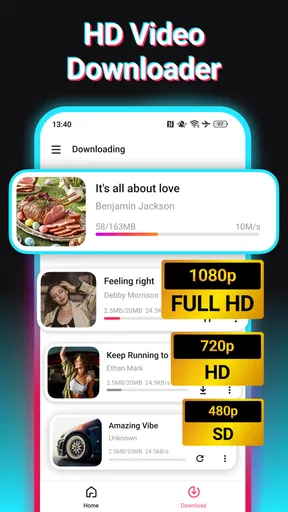
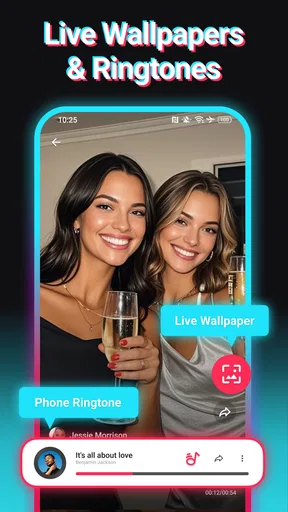
 Analysis by AppCompare
I judge a video-saving app less by the first download than by whether it still feels useful once the novelty wears off. A one-tap save can be satisfying, but it only earns a place on my phone if it fits a repeatable habit: keeping a tutorial for later, saving a reference before it gets hard to find, or collecting clips I have a good reason to revisit. SnapTik - TT Video Downloader is built around that narrow, practical job, and its appeal depends on how often that job comes up for you.
The first-week appeal is all about low effort
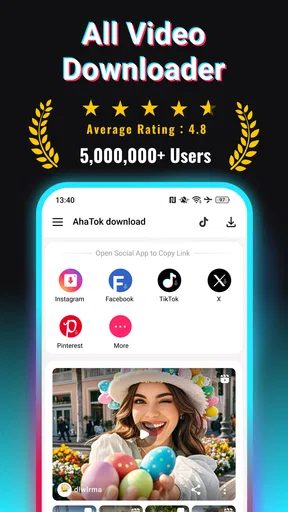
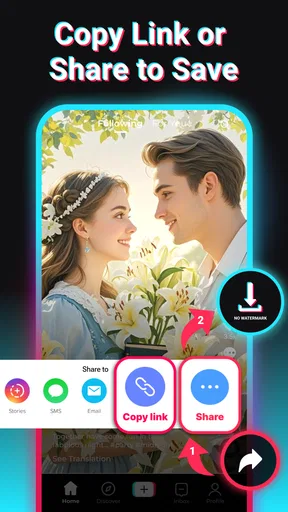
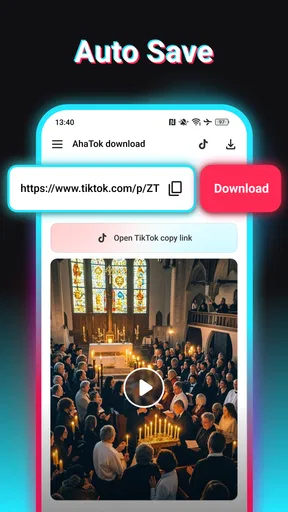
The basic routine is easy to understand: copy a TikTok video link, open the downloader, paste the link, and start the save. That makes the first try feel approachable even if you do not normally use download tools. I would treat it as a small utility rather than another social app; its value comes from what you bring to it, not from browsing inside it for hours.
In an ordinary week, I can imagine using it after seeing a recipe technique, a short repair demonstration, or a stretch I want to try later. Instead of hoping the clip remains easy to locate in a busy feed, I can save a copy for a more convenient moment. That is a useful distinction: a saved video is easier to return to, but it can also take up device storage and become one more file to manage.
The app’s core promise is particularly attractive when a clean-looking copy matters for personal reference. Still, I would not assume that removing a watermark grants permission to repost someone else’s work. If a clip belongs to another creator, keeping it for private viewing and publishing it elsewhere are very different uses. I would ask the creator or use material that I have rights to before including a downloaded clip in a public project.
What makes the routine worthwhile month to month
The app sits in the video player and editor space, but its day-to-day role is closer to a download helper than a full editing suite. That focus can be a strength: if I only need to keep a clip, I do not have to learn a larger editor or organize a complicated project. The developer is listed as Video Downloader & Video Saver, and the app is free to install, with optional in-app purchases listed from $0.99 to $19.99 per item.
Its staying power will depend on whether I give saved clips a purpose. A useful approach is to download selectively, then sort or remove files through the device’s usual file and gallery tools instead of saving every interesting post. For example, I might keep a handful of cooking demonstrations until I have tried them, then delete the ones I no longer need. That turns the downloader into a temporary reference shelf, not an endless archive.
For someone who already uses TikTok’s own save or favorites tools, a separate downloader is not automatically better. In-app saving is generally the simpler choice when the goal is just to find a post again. A downloader makes more sense when offline access or a local copy is the reason for saving. If neither matters, adding another app and another pile of files may create more work than value.
Worth Reading Before You Choose

Baby Panda World Brings Quick Play to Modern Phones, but Its Game Library Feels Busy

ESPN’s Live Game View Makes Following Close Games Easier

QuizzLand Review: A Good Fit for Short Trivia Breaks, Not Every Player

Basketball Stars: Multiplayer Is Fast, but Can It Recover When Matches Go Wrong?

WEBTOON Turns Phone Updates Into a Better Reading Routine

Link to Windows Runs on Shared Habits, Not Social Feeds
The listing shows an average rating of 4.4 from around 60,000 ratings, and more than 10 million installs. Those figures suggest that many people have tried it, but they cannot tell me whether its link-handling will suit every clip or how well it fits a particular person’s habits. I would decide based on the specific task I need it for, rather than popularity alone.
Using SnapTik as a lasting tool, not a novelty
I find SnapTik most useful when I treat each download as a decision rather than an automatic reaction to something interesting in the feed. In this section, I’ll focus on a small repeatable routine—choosing a clip, checking that the saved copy works, and deciding when it has served its purpose—before looking at the upkeep and fatigue that can affect its lasting value.
A practical workflow for clips you want to revisit
When I find a useful post, I would first decide whether I actually need a local copy. If I only want to find it again, saving it within TikTok may be enough. If I need to watch it when I might not have a connection, or keep it as a reference outside the feed, then copying the link into SnapTik is a more deliberate choice. This quick decision prevents the common trap of downloading everything and later struggling to remember why.
After a download, I would check the result before relying on it. Open the saved video, make sure it plays as expected, and confirm that it is the clip you intended to keep. That simple check is useful when a link has been copied incorrectly or a post is no longer available in the way you expected. It also helps avoid discovering a missing reference at the moment you need it.
The app’s short description is simply “SnapTik,” while its fuller positioning centers on TikTok video saving. I would therefore approach it as a focused companion to that platform rather than expecting it to replace a general media manager. The more specific your need, the easier it is to tell whether its extra step is worthwhile.
Where it fits among common alternatives
Compared with a browser-based downloader, a dedicated app can make repeated link-and-save sessions feel more convenient because the workflow is kept in one place. A browser tool may be preferable if you only need to download something once and do not want another app installed. Browser services can also vary in how they handle links, so I would avoid assuming that every alternative offers the same results or reliability.
Compared with a general video editor, SnapTik is the lighter choice for the narrow act of saving a clip. An editor is better if the goal is to trim footage, add titles, combine scenes, or prepare a finished video. I would not install a downloader expecting those creative tools. Likewise, a cloud bookmark or TikTok’s built-in save option is a better fit if keeping a link, rather than a video file, meets the need.
One non-obvious trade-off is that a watermark-free file can look cleaner in a personal collection, yet lose some context about where it came from. I would keep the creator’s name or original post details alongside a clip if I expect to cite it later. That small habit is especially helpful when gathering examples for a class, presentation, or private research folder, and it reduces the chance of treating someone else’s work as anonymous material.
Maintenance, limits, and reasons to take a break
A downloader is only as useful as its current fit with the source app. Social platforms change how links and posts behave, so I would keep the downloader updated and test a new download before building an important workflow around it. The current version is 3.4.8, and the app requires Android 8.0 or later. It is rated for Everyone, though that age label does not change the need to use saved media thoughtfully.
There is also ordinary file upkeep. Videos accumulate quickly when I save them without a plan, and a folder full of unnamed or forgotten clips is not a useful archive. I would periodically review what I kept, delete clips that have served their purpose, and use clear organization on my device if I am saving material for different reasons. The app can make acquisition simple; it cannot decide what deserves to stay.
For a person who downloads only occasionally, the extra opening, pasting, and checking may feel like friction rather than convenience. Someone who wants a polished library with tags, detailed organization, and editing controls may be better served by a broader media-management workflow. And anyone looking mainly to redistribute other creators’ videos should reconsider the purpose: a clean download is not the same thing as permission to reuse it.
Another source of fatigue is repetition. If most clips are only momentarily amusing, downloading them can turn a quick scroll into a chore of saving, reviewing, and deleting. I would use SnapTik selectively: save a tutorial I plan to follow, a reference I will genuinely revisit, or a clip I need for an appropriate personal task. Letting the rest pass keeps the tool from becoming a second inbox.
Who will keep it installed
I think this app is best for people who regularly come across TikTok clips they need to watch again outside the normal feed, and who are comfortable managing local files. Students collecting examples for private study, home cooks saving a technique to try, or someone with unreliable connectivity may find a clear recurring use. The key is having a reason to keep the actual video, not simply a passing urge to collect it.
I would skip it if you only need to bookmark posts, rarely revisit saved clips, or want a full editing and publishing toolkit. In those cases, the platform’s own save option, a simple note with the link, or a dedicated editor may be a better match. The app is free to install, but optional purchases mean I would check the purchase details in the app before choosing anything paid; there is no need to treat an optional purchase as part of the basic decision.
It was released on March 26, 2024, and its current version is 3.4.8. I see those details as useful context for keeping expectations practical: this is a relatively focused utility, not a permanent guarantee that every future platform change will leave the workflow untouched. If a link stops working, trying the normal in-app save route or revisiting the original post may be the sensible fallback rather than repeatedly attempting the same download.
How It Works
Using SnapTik is as simple as pie. When you find a TikTok video you want to keep, just copy the link from the TikTok app. Open SnapTik, paste the link, and hit download. Voila! You've got the video saved on your device, watermark-free. It’s like magic, but real!
The app supports various video formats and resolutions, so you can choose what works best for you. Whether you want the highest quality for your personal archive or a lighter file for sharing with friends, SnapTik has got you covered.
Features That Stand Out
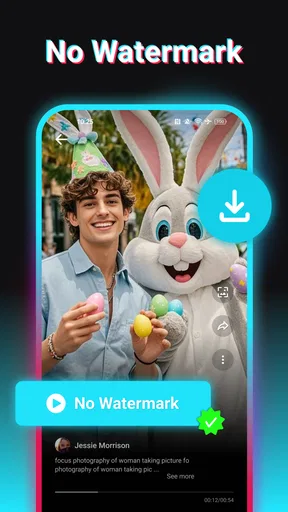
One of the standout features of SnapTik is its ability to download videos without the watermark, which keeps your saved videos clean and professional-looking. It's perfect for those who want to use TikTok videos for presentations or other projects.
Another handy feature is the built-in video player. You can watch your downloaded videos directly in the app without having to switch to another player. It’s a small touch, but it makes the experience much smoother.
Plus, SnapTik doesn’t just stop at video downloading. The app also allows you to save just the audio from TikTok videos. This is perfect for when you come across a catchy tune that you want to listen to on repeat without watching the video every time.
Privacy and Security
Now, I know what you're thinking: "Is this app safe to use?" Rest assured, SnapTik doesn’t require you to log in or provide any personal information. You can download videos anonymously, which is a big plus in today’s privacy-conscious world.
However, it's always good practice to be cautious and ensure your device has up-to-date security software, just to be safe. SnapTik respects user privacy, but it's always smart to stay vigilant online.
User Experience
Overall, the user experience with SnapTik is smooth and intuitive. The app is responsive, and the downloads are quick, even for longer videos. It doesn’t bombard you with ads, which is a refreshing change from many free apps out there.
While the app is generally stable, there might be occasional hiccups, like any app. But from my experience, these are rare, and the developers seem committed to continuous improvements.
The Final Verdict
In conclusion, if you're looking for a reliable way to download TikTok videos without the hassle of watermarks, SnapTik is definitely worth checking out. Its straightforward design, combined with the ability to save both video and audio, makes it a versatile tool for TikTok enthusiasts.
Whether you're using it to collect your favorite dance videos or save insightful tutorials, SnapTik delivers on its promises with ease and efficiency. So, next time you stumble upon a TikTok gem, remember that SnapTik is just a few taps away from helping you keep it forever.
Give it a try and see how it fits into your digital toolbox. Happy downloading!
Pros
- Easy to use interface for quick downloads.
- No watermarks on downloaded videos.
- Supports multiple video formats.
- Fast download speeds.
- Free to use with no hidden costs.
Cons
- Contains in-app ads that can be intrusive.
- Not available on official app stores.
- Requires internet connection for downloads.
- Limited support for older devices.
- Lacks built-in video editing features.
FAQs for SnapTok - TT Video Downloader
What is SnapTik - TT Video Downloader?
SnapTik - TT Video Downloader is an application that allows users to download videos from TikTok without a watermark. This app provides a seamless way to save your favorite TikTok videos directly to your device, making it convenient to watch offline or share with friends without the TikTok logo.
Is SnapTik - TT Video Downloader free to use?
Yes, SnapTik - TT Video Downloader is free to download and use. However, it may contain ads that support its development. Users can enjoy unlimited downloads without any subscription fees, but some features might be enhanced via in-app purchases to provide an ad-free experience.
Is it legal to download videos using SnapTik?
Downloading videos from TikTok using SnapTik may infringe on copyright laws if the content is used without the creator’s permission. It's crucial to use downloaded videos for personal use only and to respect the rights of content creators by not redistributing or profiting from the videos without authorization.
Does SnapTik require my TikTok login information?
No, SnapTik - TT Video Downloader does not require you to log in with your TikTok account. The app works independently, allowing you to download videos by simply pasting the TikTok video URL. This ensures your TikTok credentials remain secure and private.
Is SnapTik available for both Android and iOS devices?
SnapTik - TT Video Downloader is available for both Android and iOS platforms. Users can download the app from Google Play Store or the Apple App Store, ensuring compatibility with most devices. The app is regularly updated to support the latest versions of each operating system.


